Is it safe to use a compressed air blower on furniture?
This is one of the most frequently asked questions when users start considering using compressed air blowers to clean electronic devices. In fact, if used correctly, it can effectively clean without damaging components, especially circuit boards.
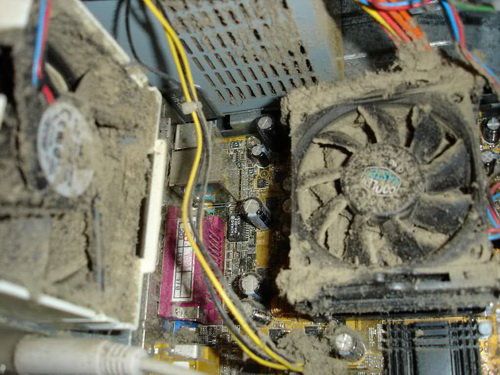
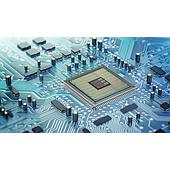
The reason is that compressed air blowers generate a dry air stream, free of moisture, which helps remove dust without directly contacting the circuit boards or connection cables. This minimizes the risk of bending chip pins, breaking connector legs, or leaving behind moisture residue, which can happen with some manual cleaning methods.
However, the level of safety depends largely on how users control the blowing force. For keyboards or mice, a moderate airflow is sufficient to clean the crevices without dislodging keys or pushing dust deeper inside. For desktop computers or laptops, it’s important to avoid blowing directly into the cooling fans at high speeds, as excessive spinning force can affect the lifespan of the fan's bearings.
Do I need to remove the device before using the air compressor?
In many cases, cleaning with a compressed air blower does not require disassembling the entire device. For external surfaces such as keyboards, mice, ventilation grilles, or areas around the computer case, you can directly use the blower to remove dust without needing to intervene inside the device.
However, depending on the cleaning purpose, if deep cleaning is required—especially for devices that have been in use for a long time or have signs of dust buildup on the motherboard, cooling fans, or RAM slots—it may be necessary to open the case or remove some components. This allows the airflow to reach the right areas, providing better cleaning efficiency. In this case, be sure to handle the components carefully and ensure that the power is turned off before starting.
Some users have a habit of disassembling all the parts for a thorough cleaning. While this approach may give a sense of "clean to the core," it is not really necessary if the device is still operating normally and not heavily clogged with dust. Especially for those who are not familiar with hardware handling, improper disassembly and reassembly could lead to unnecessary damage.
Does using a compressed air blower damage internal components?
It's understandable to be concerned about this, especially if you're not used to cleaning at home. Many people fear that the strong air blast from the blower could damage the internal parts of the computer or electronic devices. However, from my experience, most damage occurs when the blower is used incorrectly.
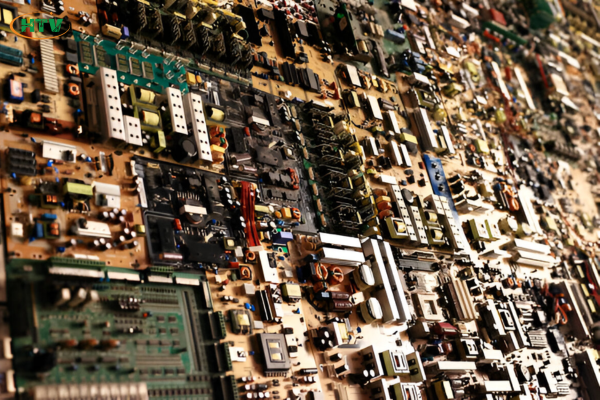
The principle of a compressed air blower is to generate enough air pressure to push dust out from small gaps and hard-to-reach areas that are difficult to clean by hand. However, if you blow air too close, choose the wrong nozzle, or set the pressure too high, it can cause the cooling fan to spin too fast, misalign cables, or even push dust further into the gaps.
Moreover, some components like motherboards, sockets, and connectors are quite sensitive and require careful handling. Instead of focusing the air stream on one point, it's better to move your hand evenly and maintain a proper distance so that the airflow spreads gently across the surface being cleaned.
Using the air blower will not damage the components as long as you control the airflow, select the right settings, and handle it correctly.
Which type of air compressor should you choose to clean electronics at home?
Here are some suggestions based on products currently on the market:
Bosch GBL 620 Air Blower
Bosch GBL 620 will be a choice worth considering. With a rotation speed of up to 16,000 rpm and an air flow of 3.5 m³/min, the machine can easily remove long-standing dust in hard-to-reach places. The compact design and weight of only 1.7 kg help users operate comfortably, suitable for use at home or office.
Bosch GBL 650 650W Dust Blower
Bosch GBL 650 provides high power of 650W, which enhances cleaning performance. With a maximum air flow of 4.5 m³/min and a no-load speed of 16,000 rpm, the machine is suitable for cleaning large areas or electronic devices with long-standing dirt.
Stanley STPT600 Dust Blower
Stanley STPT600 dust blower with 600W capacity and 16,000 rpm no-load speed provides optimal cleaning efficiency with 3.5 m³/min air flow, compact design, very convenient for cleaning electronic devices.
Conclude:
With quality air blowers from well-known brands such as Stanley, Bosch, and Makita, cleaning electronic devices at home has become simpler and more effective than ever. These products not only remove dirt but also protect your devices from damage. At EMIN, you can easily find the air blowers that suit your needs, provided with guaranteed quality and dedicated support service.